Documentation Index
Fetch the complete documentation index at: https://cometchat-22654f5b-release-ios-chat-uikit-v5-1-2.mintlify.app/llms.txt
Use this file to discover all available pages before exploring further.
Overview
The UI Kit comprises a variety of components, each designed to work seamlessly with one another to deliver a comprehensive and intuitive chat experience.
Here’s how different UI Kit components work together to achieve CometChat’s Core features:
Instant Messaging
At the heart of CometChat’s functionality is the ability to support real-time text messaging. Users can send and receive instant messages, fostering quick and efficient communication.
| Components | Functionality |
|---|
| MessageComposer | MessageComposer component allows users to compose and send different types of messages with ease. |
| MessageList | MessageList component renders a list of messages sent and messages received using TextBubble. |
| Components | Functionality |
|---|
| MessageComposer | MessageComposer contains an ActionSheet component—a contextual menu overlay that provides multiple options for sharing media files. |
| MessageList | MessageList component displays various media message bubbles, including Image Bubble, File Bubble, Audio Bubble, Video Bubble |
A Message component can be built by combining three key components: MessageHeader, MessageList, and MessageComposer. Together, they create a complete messaging interface.
Read Receipts
CometChat’s Read Receipts feature provides visibility into the message status, letting users know when a message has been delivered and read. This brings clarity to the communication and ensures users are informed about the status of their messages.
| Components | Functionality |
|---|
| Conversations | Conversations component renders Conversations item List, Conversation item also displays the delivery status of the last message providing users with real-time updates on the status of their messages. |
| MessageList | MessageList component renders different types of Message bubbles, Read Recept status is an integral part of all message bubbles, no matter the type, and provides real-time updates about the status of the message. |
| MessageInformation | MessageInformation component provides transparency into the status of each sent message, giving the sender insights into whether their message has been delivered and read. |
Typing Indicator
The Typing Indicator feature in CometChat shows when a user is typing a response in real-time, fostering a more interactive and engaging chat environment. This feature enhances the real-time communication experience, making conversations feel more natural and fluid.
| Components | Functionality |
|---|
| Conversations | Conversations component renders a list of conversation items, each displaying real-time typing indicators. This means that if a user in a one-on-one or group chat is currently typing, the status will be reflected instantly in the conversation list. |
| Message Header | Message Header component displays user or group details in the toolbar. It also manages the typing indicator, dynamically updating to show a real-time “typing…” status when a user or group member is actively typing. |
User Presence
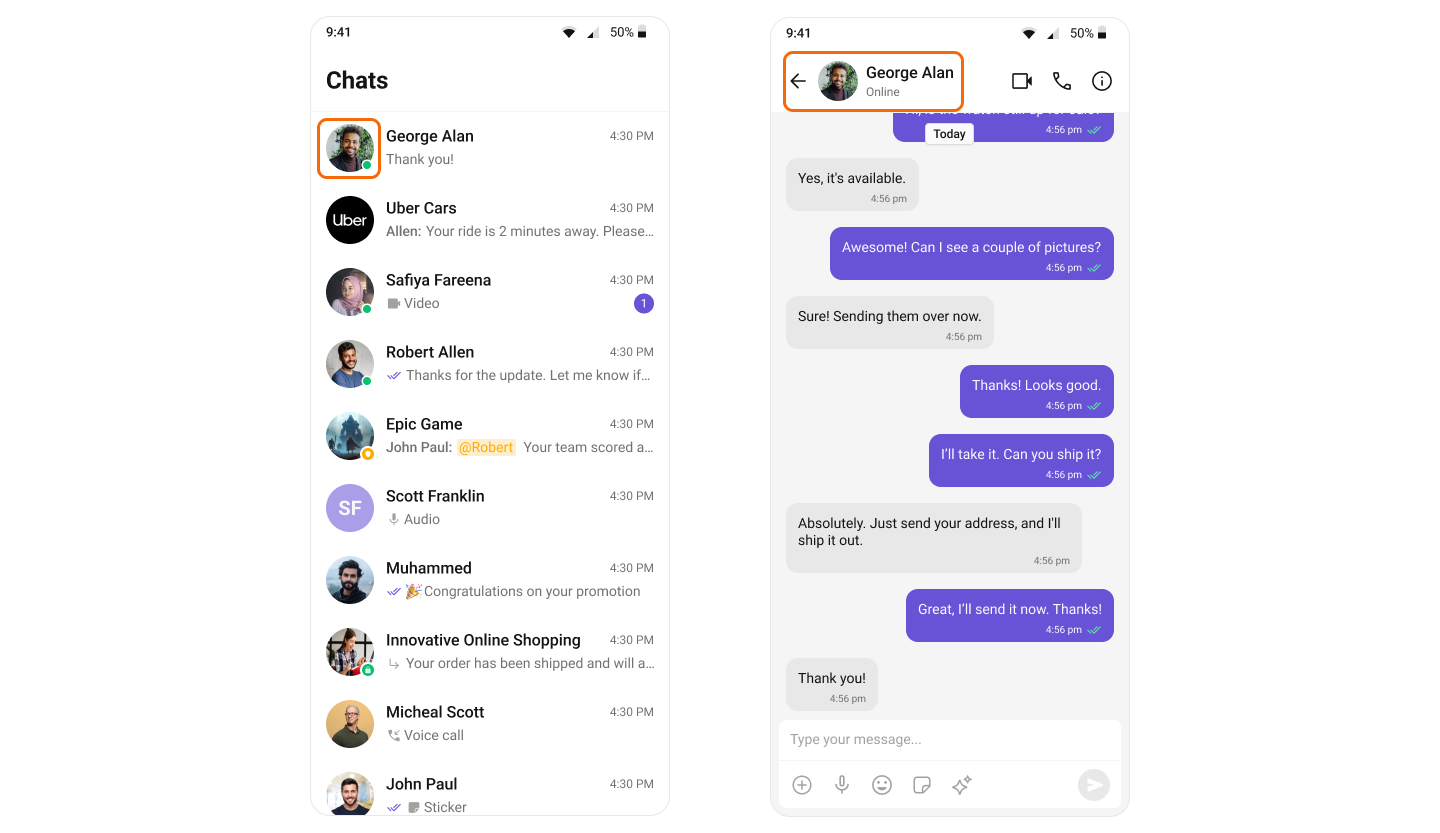
CometChat’s User Presence feature lets users see the online or offline status of their contacts, helping them choose the right time to start a conversation and set expectations for response times.
| Components | Functionality |
|---|
| Conversations | Conversations component renders a list of conversation items, each displaying user presence information such as online or offline status. |
| MessageHeader | Message Header component displays user or group details in the toolbar. It also handles user presence showing real-time online or offline status for the selected user. |
| Users | Users component displays a list of users available in your app and is also responsible for showing their real-time presence status such as online or offline. |
| GroupMembers | Group Members component displays a list of users within a group and also manages real-time presence information showing whether each member is online or offline. |
Reactions
CometChat’s Reactions feature adds a layer of expressiveness to your chat application by allowing users to react to messages. With Reactions, users can convey a range of emotions or express their thoughts on a particular message without typing out a full response, enhancing their user experience and fostering greater engagement.
| Components | Functionality |
|---|
| MessageList | MessageList component renders various types of message bubbles. Regardless of the message type, reactions are seamlessly integrated, allowing users to respond in a more engaging and expressive way. |
Mentions
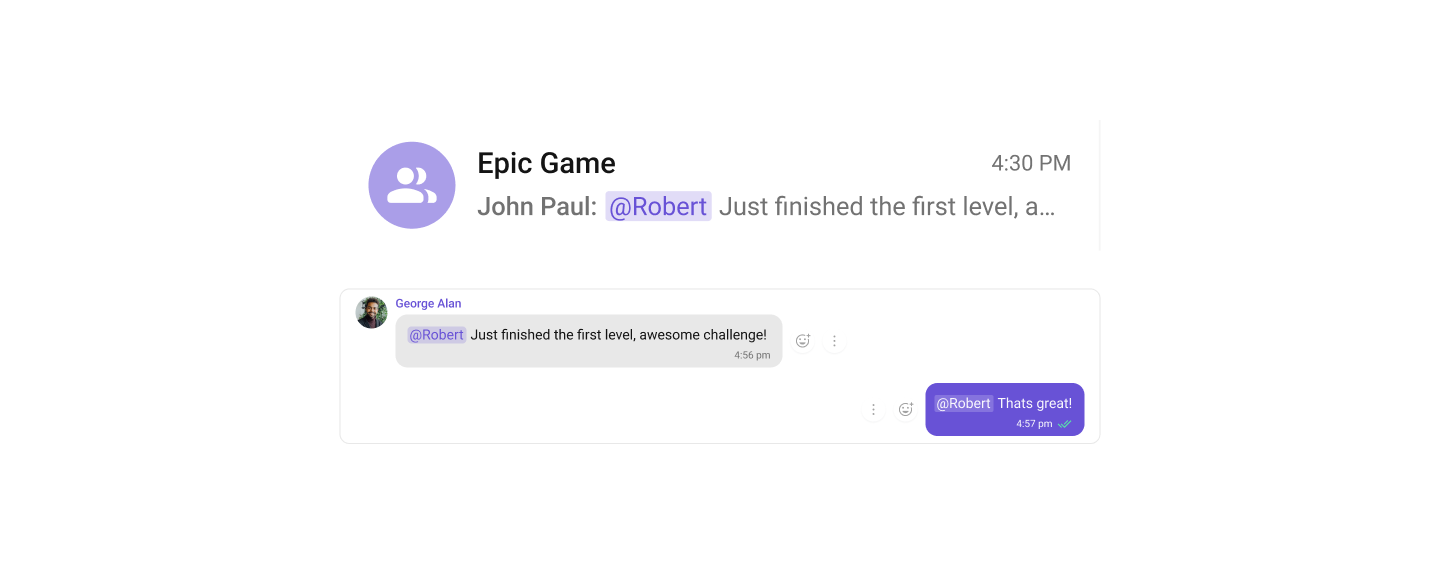
Mentions is a robust feature provided by CometChat that enhances the interactivity and clarity of group or 1-1 chats by allowing users to directly address or refer to specific individuals in a conversation.
| Components | Functionality |
|---|
| Conversations | Conversations component enhances the user experience by integrating the Mentions feature, allowing users to see directly from the conversation list when they or others have been specifically mentioned in a chat. |
| MessageComposer | MessageComposer component allows users to compose and send various types of messages, including support for the Mentions feature to directly address participants within the conversation. |
| MessageList | MessageList component displays a list of sent and received messages. It also supports rendering Mentions, enhancing the clarity and interactivity of conversations by highlighting direct references to users. |
Threaded Conversations
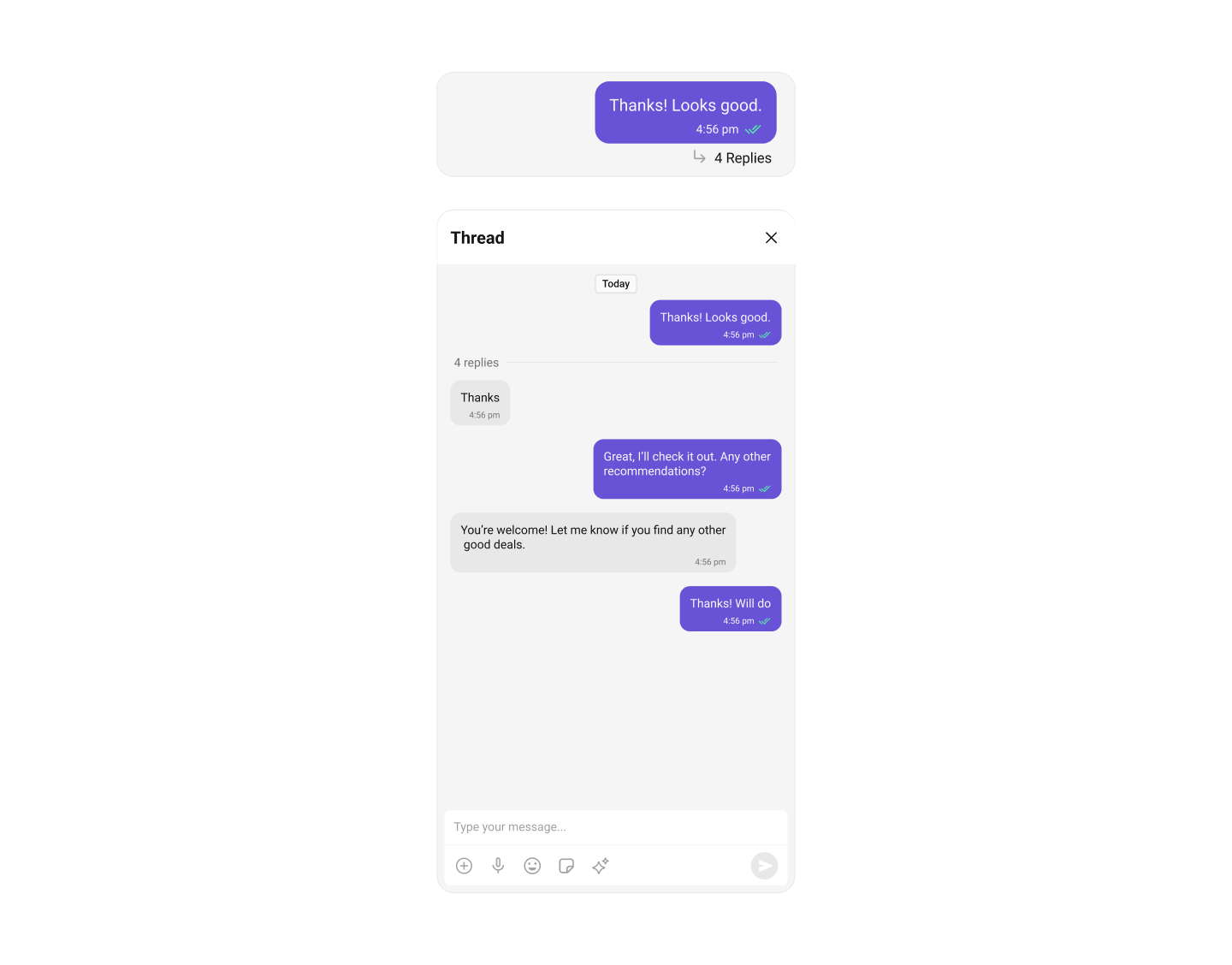
The Threaded Conversations feature enables users to respond directly to a specific message in a chat. This keeps conversations organized and enhances the user experience by maintaining context, especially in group chats.
| Components | Functionality |
|---|
| Threaded Header | Threaded Header component displays the original message along with all its replies, helping users follow the context of a threaded conversation. |
| MessageComposer | MessageComposer component enables users to compose and send various types of messages. |
| MessageList | MessageList component displays a chronological list of sent and received messages. It also supports Mentions, making conversations more interactive and easier to follow by highlighting direct references to users. |
Group Chat
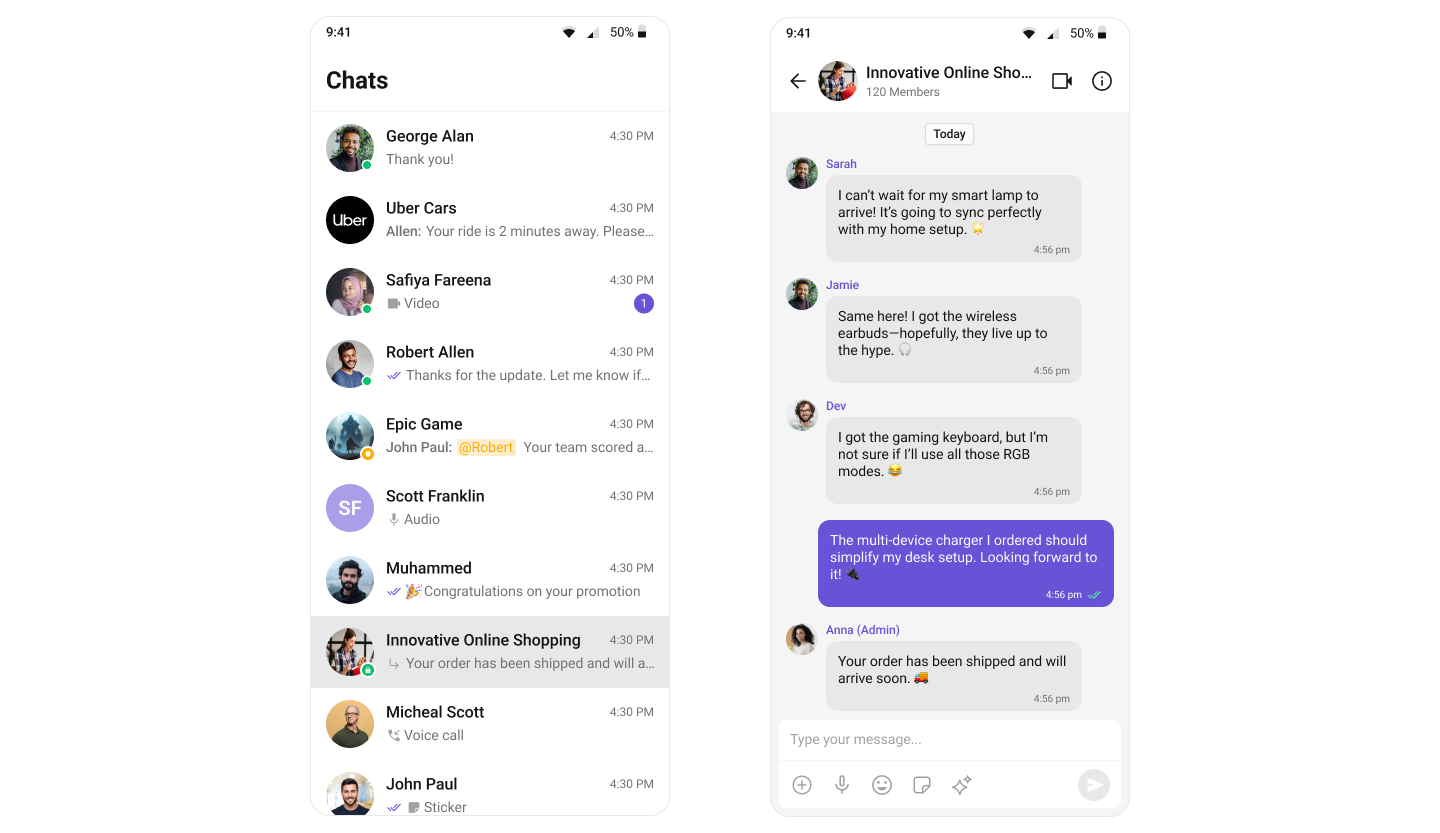
CometChat facilitates Group Chats, allowing users to have conversations with multiple participants simultaneously. This feature is crucial for team collaborations, group discussions, social communities, and more.
For a comprehensive understanding and guide on implementing and using the Groups feature in CometChat, you should refer to our detailed guide on Groups.