Documentation Index
Fetch the complete documentation index at: https://cometchat-22654f5b-release-ios-chat-uikit-v5-1-2.mintlify.app/llms.txt
Use this file to discover all available pages before exploring further.
Unlock the Power of Customization
Tired of generic chat interfaces? With CometChat’s powerful component styling capabilities, you can now create truly unique and visually stunning chat experiences.
Component Styling empowers you to fine-tune every aspect of your chat UI, from the subtle nuances of message bubbles to the bold impact of global theme changes. Customize the following key components to match your brand’s identity and user preferences:
Components
Conversation
Control the overall layout and behavior of conversations.
ThemeData(
    fontFamily: 'Times New Roman',
    extensions: [
        CometChatConversationsStyle(
            avatarStyle: CometChatAvatarStyle(
                borderRadius: BorderRadius.circular(8),
                backgroundColor: Color(0xFFFBAA75)
            ),
            badgeStyle: CometChatBadgeStyle(
                backgroundColor: Color(0xFFF76808)
            )
        )
    ]
)
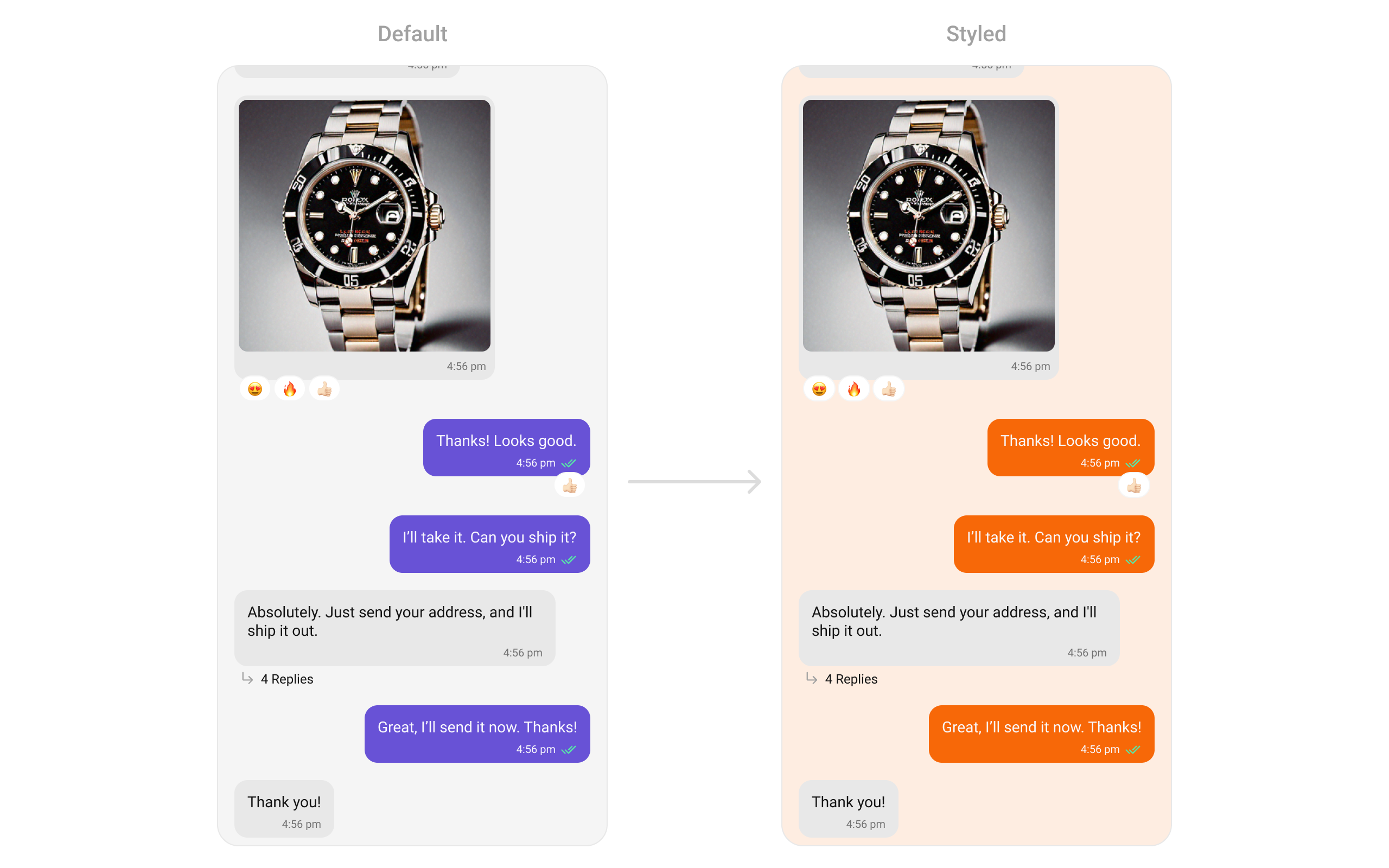
Message List
Customize the appearance of message lists, including bubble styles, timestamps, and reactions.
ThemeData(
    extensions: [
        CometChatMessageListStyle(
            backgroundColor: Color(0xFFFEEDE1),
            outgoingMessageBubbleStyle: CometChatOutgoingMessageBubbleStyle(
              backgroundColor: Color(0xFFF76808)
            )
        )
    ]
)
Message Composer
Tailor the input field and send button to suit your design.
ThemeData(
    extensions: [
        CometChatMessageComposerStyle(
            sendButtonIconBackgroundColor: Color(0xFFF76808),
            secondaryButtonIconColor: Color(0xFFF76808),
            auxiliaryButtonIconColor: Color(0xFFF76808)
        )
    ]
)
ThemeData(
    extensions: [
        CometChatMessageHeaderStyle(
            avatarStyle: CometChatAvatarStyle(
              backgroundColor: Color(0xFFFBAA75),
              borderRadius: BorderRadius.circular(6.67),
            ),
            callButtonsStyle: CometChatCallButtonsStyle(
              voiceCallIconColor: Color(0xFFF76808),
              videoCallIconColor: Color(0xFFF76808),
            ),
        )
    ]
)
Users
Style user profiles and lists.
ThemeData(
    extensions: [
        CometChatUsersStyle(
            avatarStyle: CometChatAvatarStyle(
              borderRadius: BorderRadius.circular(8),
              backgroundColor: Color(0xFFFBAA75),
            ),
            titleTextColor: Color(0xFFF76808),
            separatorColor:  Color(0xFFF76808),
            backgroundColor: Color(0xFFFFF9F5)
        )
    ]
)
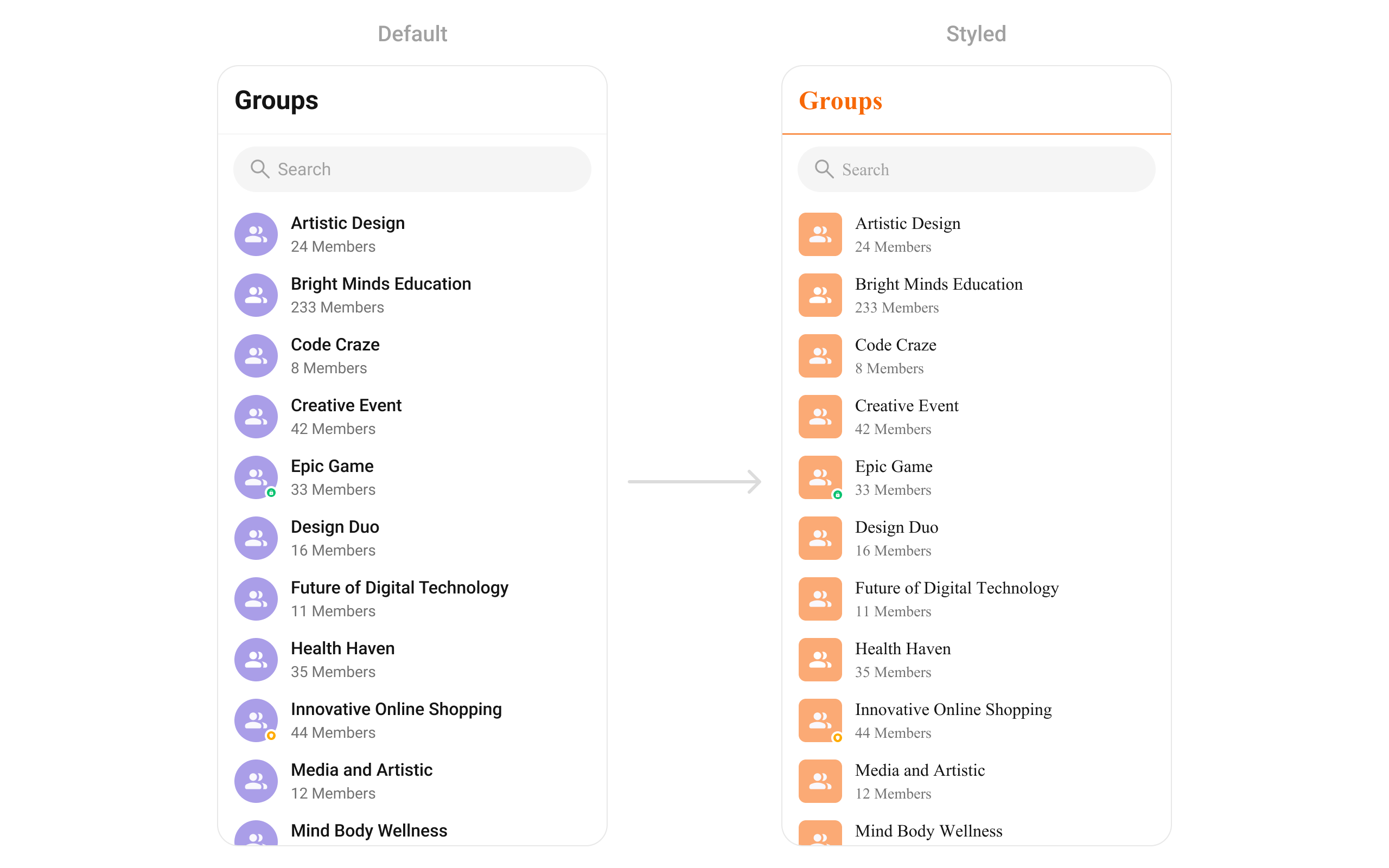
Groups
Customize the appearance of group chats and group information.
ThemeData(
    extensions: [
        CometChatGroupsStyle(
            avatarStyle: CometChatAvatarStyle(
              borderRadius: BorderRadius.circular(8),
              backgroundColor: Color(0xFFFBAA75),
            ),
            titleTextColor: Color(0xFFF76808),
            separatorColor:  Color(0xFFF76808),
            backgroundColor: Color(0xFFFFF9F5)
        )
    ]
)
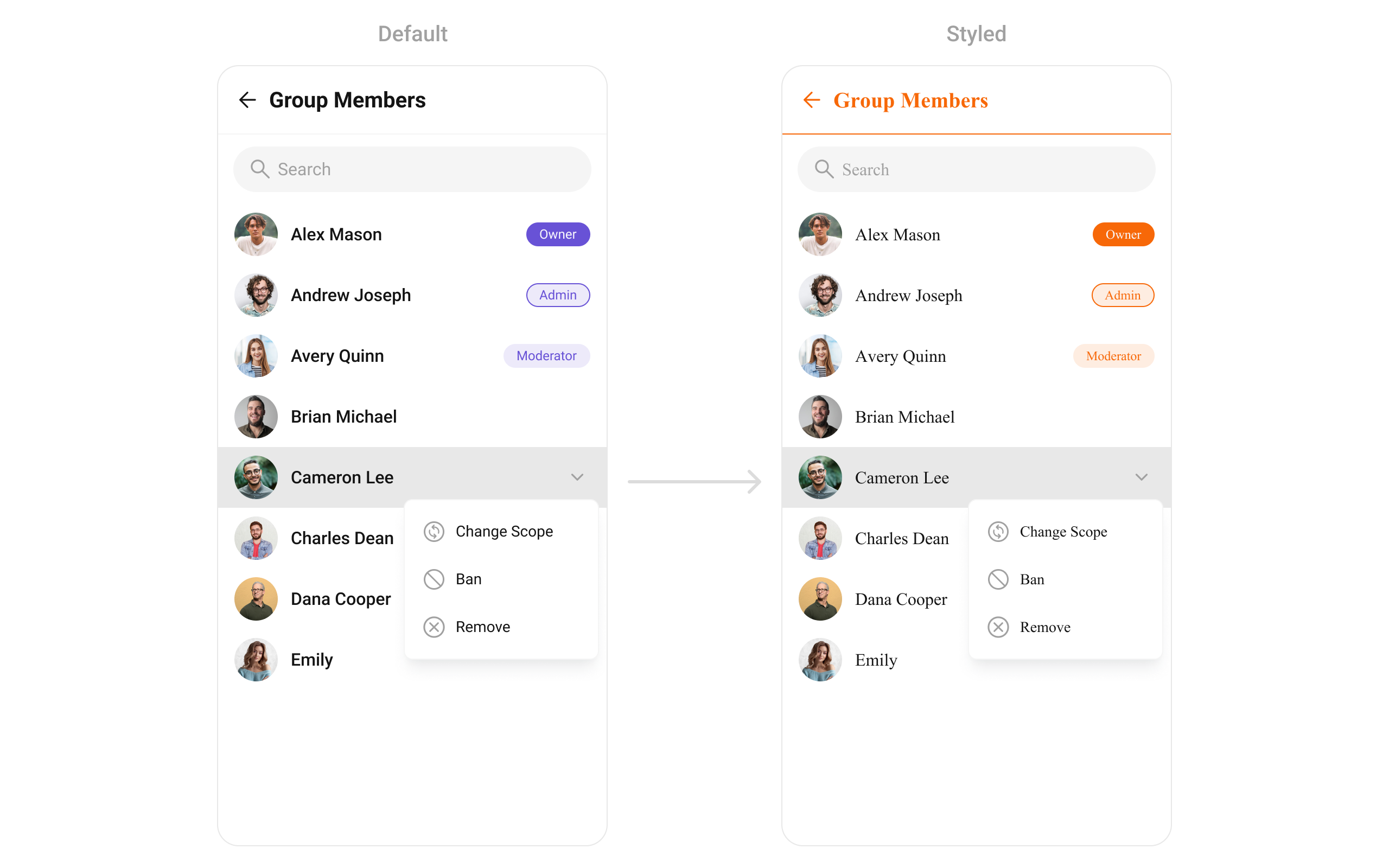
Group Members
Elevate your group chat experience with customizable member list styles.
ThemeData(
    extensions: [
         CometChatGroupMembersStyle(
            avatarStyle: CometChatAvatarStyle(
              borderRadius: BorderRadius.circular(8),
              backgroundColor: Color(0xFFFBAA75),
            ),
            titleStyle: TextStyle(color: Color(0xFFF76808)),
            separatorColor:  Color(0xFFF76808),
            ownerMemberScopeBackgroundColor:  Color(0xFFF76808),
            adminMemberScopeBackgroundColor: Color(0xFFFEEDE1),
            adminMemberScopeBorder: Border.all(color: Color(0xFFF76808)),
            adminMemberScopeTextColor: Color(0xFFF76808),
            moderatorMemberScopeBackgroundColor: Color(0xFFFEEDE1),
            moderatorMemberScopeTextColor: Color(0xFFF76808),
            backIconColor: Color(0xFFF76808),
        )
    ]
)
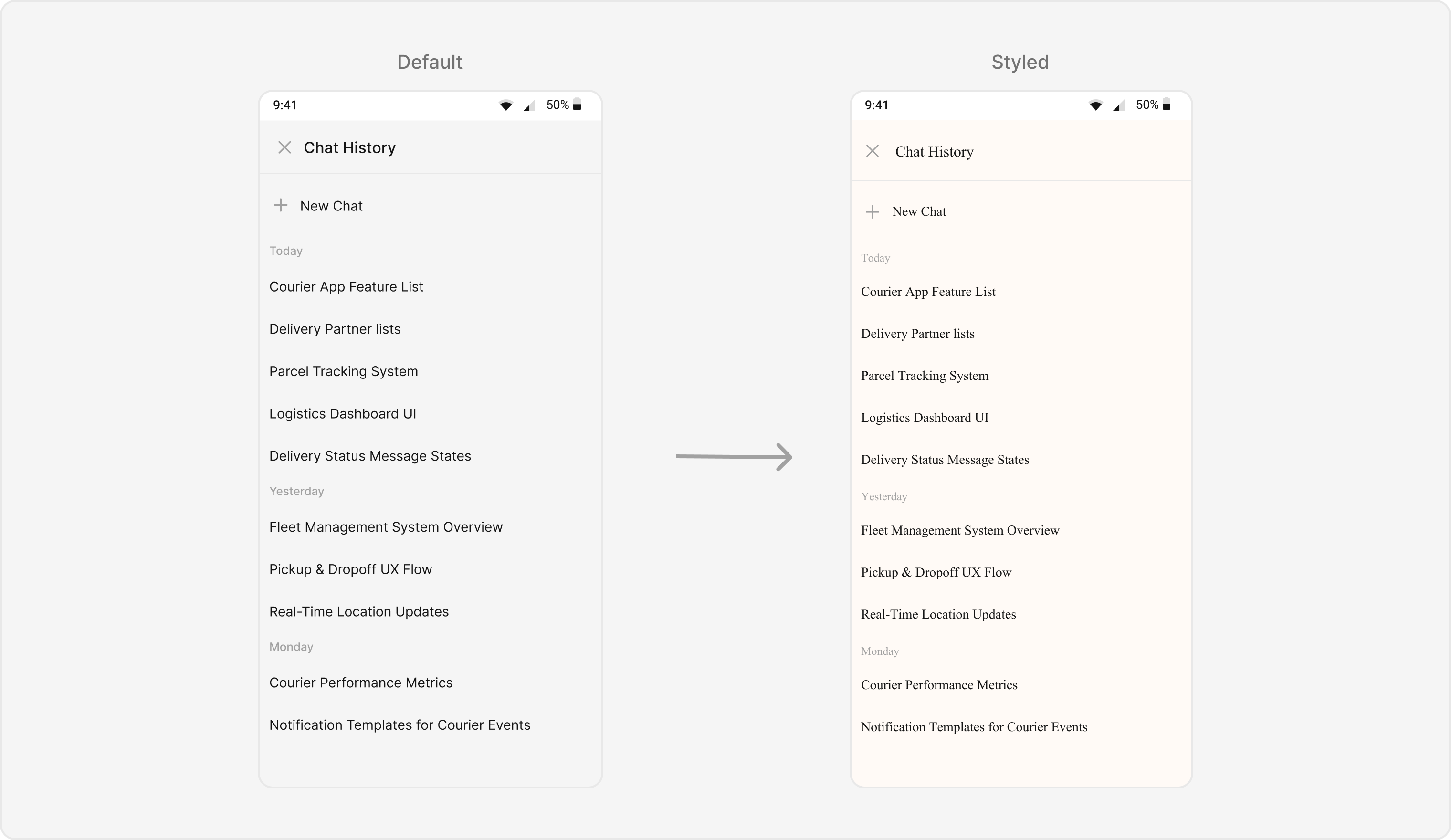
AI Assistant Chat History
The CometChatAIAssistantChatHistory component displays the history of interactions with an AI assistant. It provides a seamless way to view past conversations, ensuring users can easily reference previous AI responses.
final ccColor = CometChatThemeHelper.getColorPalette(context);
CometChatAIAssistantChatHistory(
  user: user, // A user or group object is required to launch this widget.
  style: CometChatAIAssistantChatHistoryStyle(
    backgroundColor: const Color(0xFFFFFAF6),
    headerBackgroundColor: const Color(0xFFFFFAF6),
    headerTitleTextColor: ccColor.textPrimary,
    headerTitleTextStyle: const TextStyle(
      fontFamily: 'TimesNewRoman', // Add this in pubspec.yaml under fonts
    ),
    newChatIconColor: ccColor.iconSecondary,
    newChatTextColor: ccColor.textPrimary,
    newChaTitleStyle: const TextStyle(
      fontFamily: 'TimesNewRoman', // Add this in pubspec.yaml under fonts
    ),
    dateSeparatorStyle: CometChatDateStyle(
      textStyle: const TextStyle(
        fontFamily: 'TimesNewRoman', // Add this in pubspec.yaml under fonts
      ),
      textColor: ccColor.textTertiary,
      backgroundColor: const Color(0xFFFFFAF6),
    ),
    itemTextStyle: const TextStyle(
      fontFamily: 'TimesNewRoman', // Add this in pubspec.yaml under fonts
    ),
    itemTextColor: ccColor.textPrimary,
  ),
),
Base Components
Avatar
Personalize user avatars with different shapes, sizes, and borders.
ThemeData(
    extensions: [
        CometChatAvatarStyle(
            borderRadius: BorderRadius.circular(8),
            backgroundColor: Color(0xFFFBAA75),
          )
    ]
)
Status Indicator
Control the appearance of online/offline indicators.
ThemeData(
    extensions: [
        CometChatStatusIndicatorStyle(
          backgroundColor: Color(0xFFFFAB00),
          borderRadius: BorderRadius.circular(2),
        )
    ]
)
Badge
Customize badges for unread messages and notifications.
ThemeData(
    extensions: [
        CometChatBadgeStyle(
            borderRadius: BorderRadius.circular(4),
            backgroundColor: Color(0xFFF44649),
          ),
    ]
)
Date
Format and style timestamps.
Receipts
Customize the appearance of message receipts (e.g., “Seen,” “Delivered”).
ThemeData(
    extensions: [
        CometChatMessageReceiptStyle(
            readIconColor:  Color(0xFFFFAB00),
          )
    ]
)
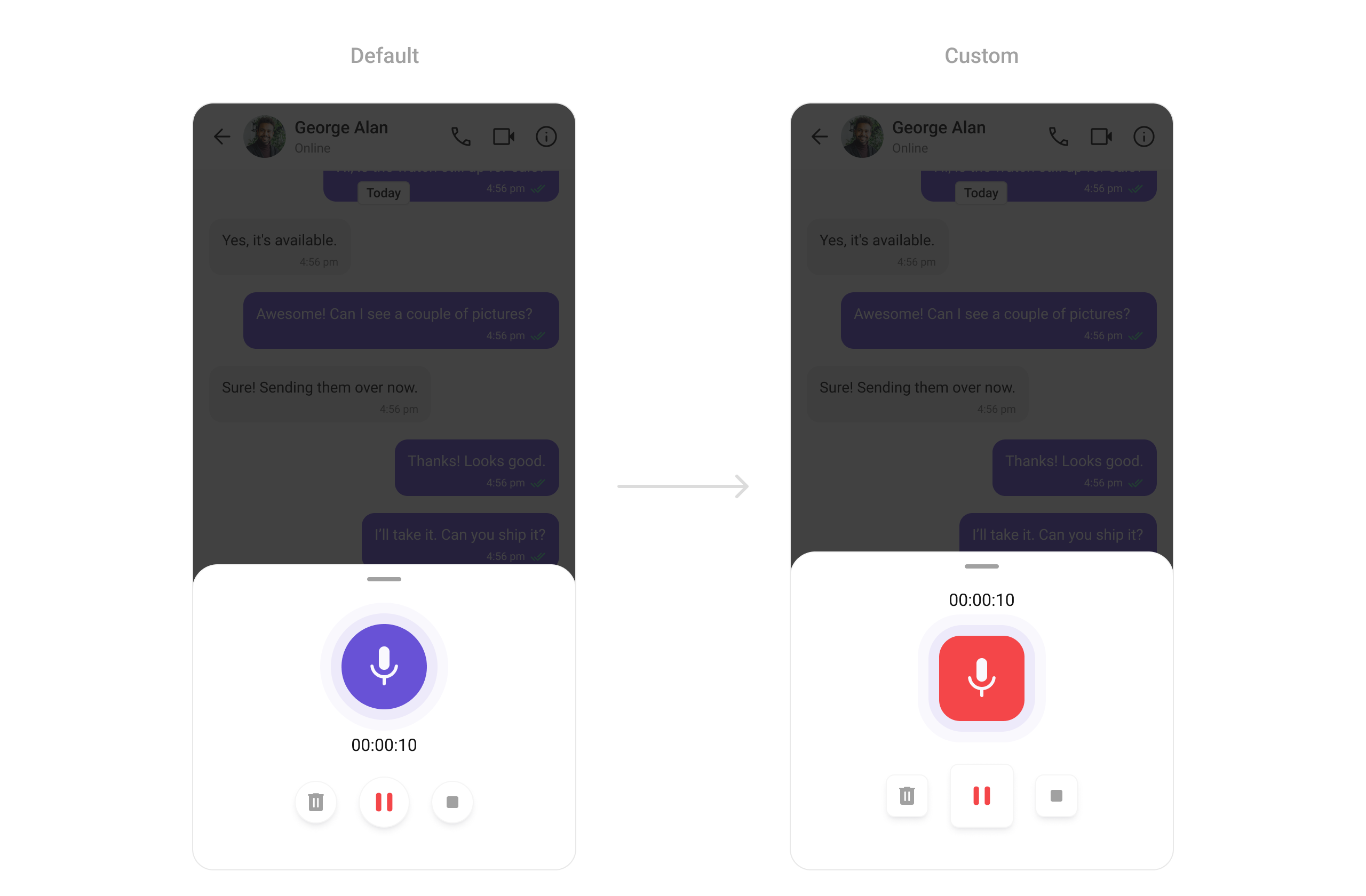
ThemeData(
    extensions: [
        CometChatMediaRecorderStyle(
            recordIndicatorBackgroundColor: Color(0xFFF44649),
            recordIndicatorBorderRadius: BorderRadius.circular(20),
            pauseButtonBorderRadius: BorderRadius.circular(8),
            deleteButtonBorderRadius: BorderRadius.circular(8),
            stopButtonBorderRadius: BorderRadius.circular(8),
          )
    ]
)
Sticker Keyboard
Customize the appearance of sticker keyboards.
Reactions
Style the appearance of reactions to messages.
ThemeData(
    extensions: [
         CometChatReactionsStyle(
            borderRadius: BorderRadius.circular(8),
          )
    ]
)
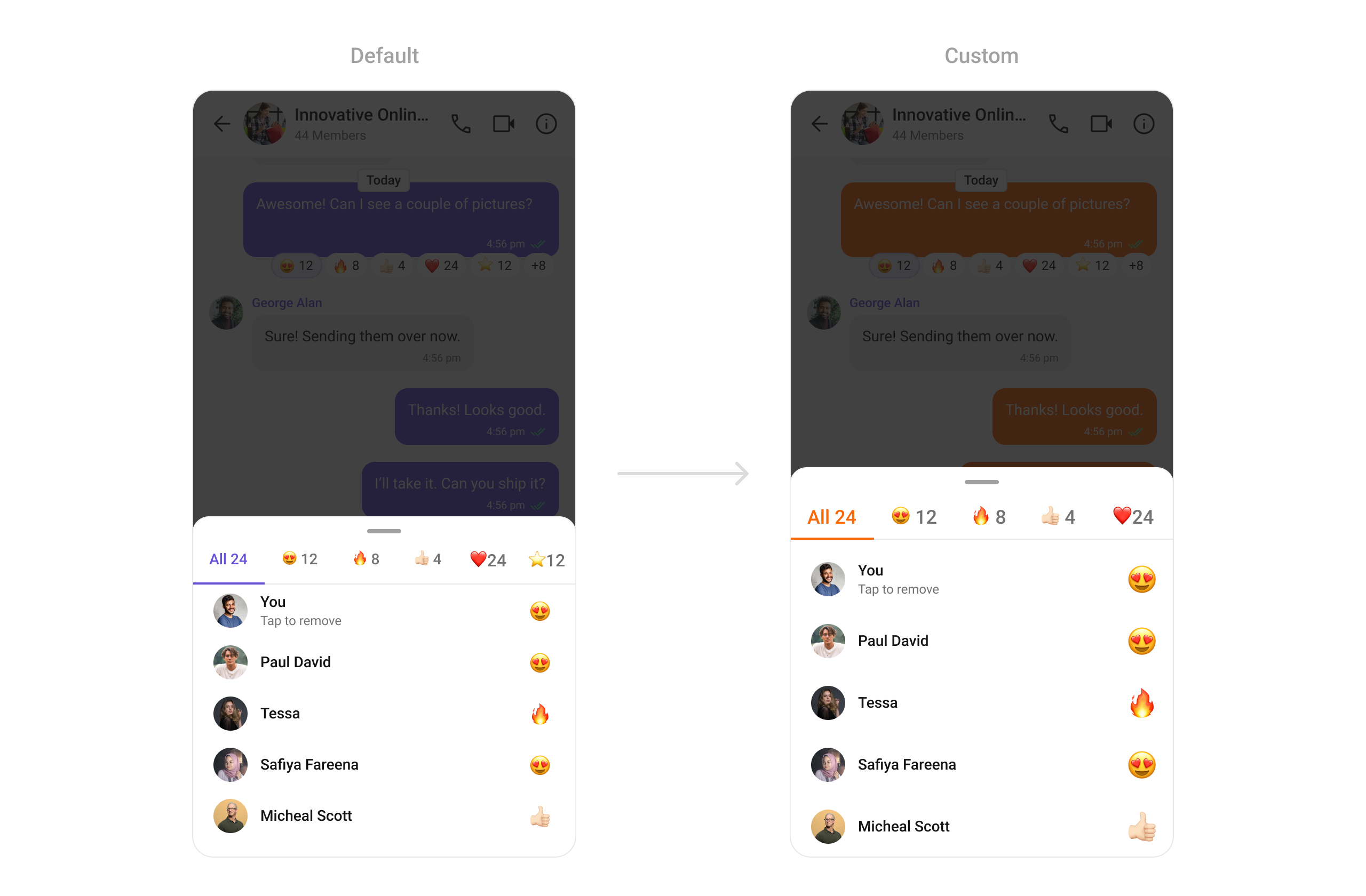
Reaction List
Control the style of reactions displayed on messages.
ThemeData(
    extensions: [
        CometChatReactionListStyle(
            activeTabTextColor: Color(0xFFF76808),
            activeTabIndicatorColor: Color(0xFFF76808),
          )
    ]
)
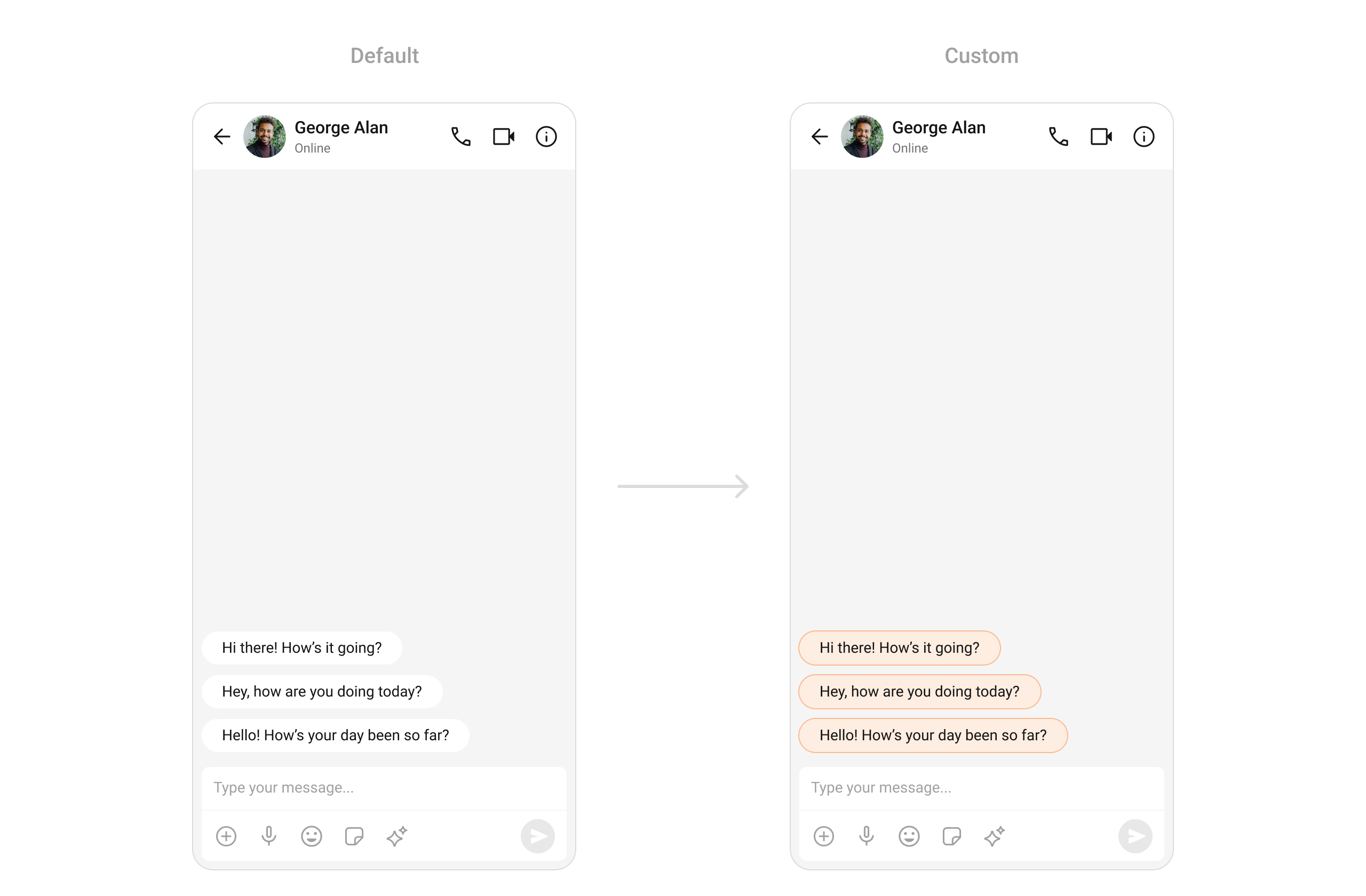
Conversation Starter
Tailor the initial message or prompt.
ThemeData(
    extensions: [
        CometChatAIConversationStarterStyle(
            backgroundColor: Color(0xFFFEEDE1),
            border: Border.all(color: Color(0xFFFBBB90)),
          )
    ]
)
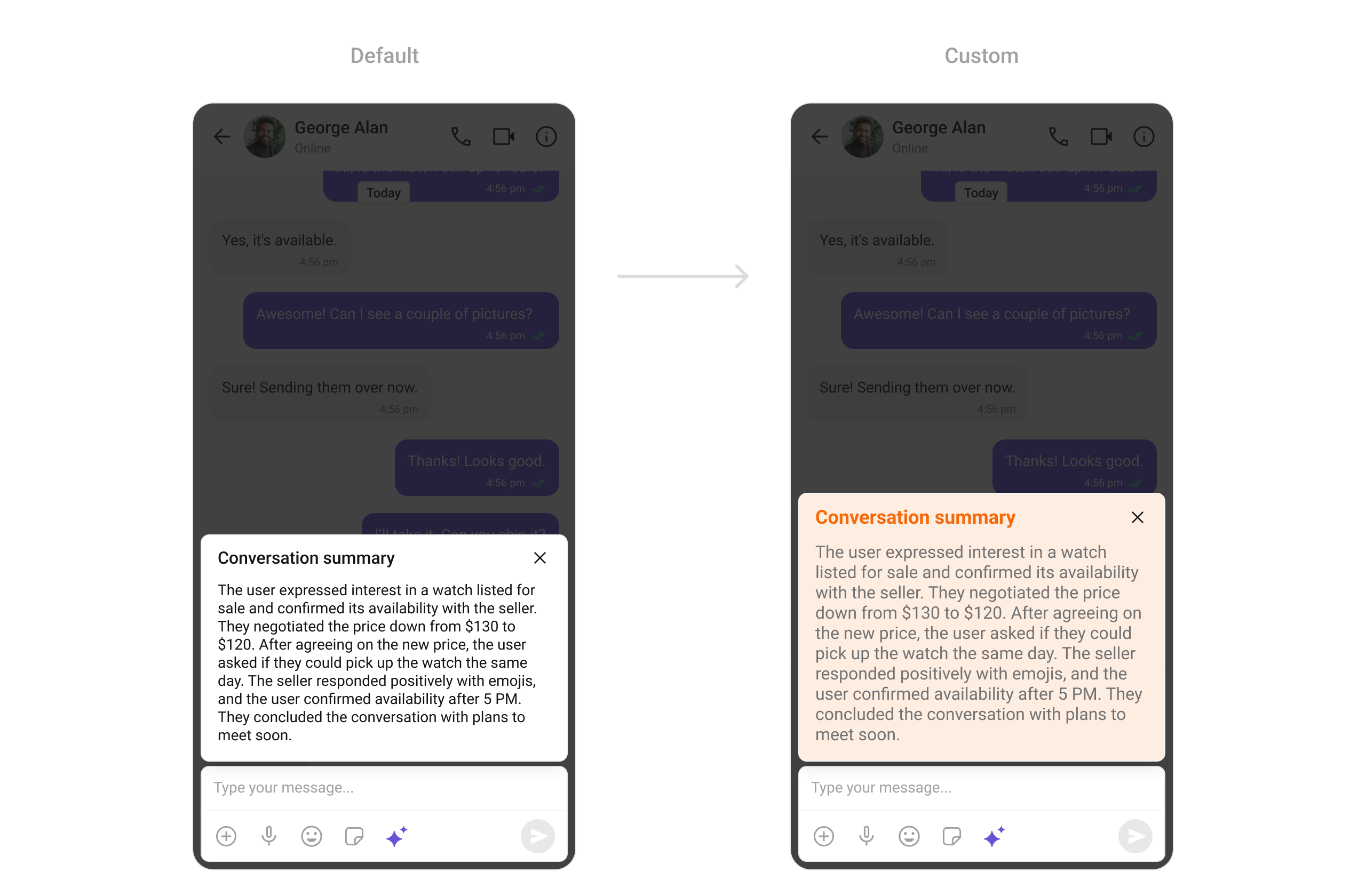
Conversation Summary
Customize the summary view of a conversation.
ThemeData(
    extensions: [
        CometChatAIConversationSummaryStyle(
            backgroundColor: Color(0xFFFEEDE1),
            titleStyle: TextStyle(
              color: Color(0xFFF76808),
            ),
          )
    ]
)
Smart Replies
Style the appearance of suggested replies.
ThemeData(
    extensions: [
        CometChatAISmartRepliesStyle(
            backgroundColor: Color(0xFFFEEDE1),
            titleStyle: TextStyle(
              color: Color(0xFFF76808),
            ),
            itemBackgroundColor: Color(0xFFFFF9F5),
            itemBorder: Border.all(color: Color(0xFFFBBB90)),
          )
    ]
)
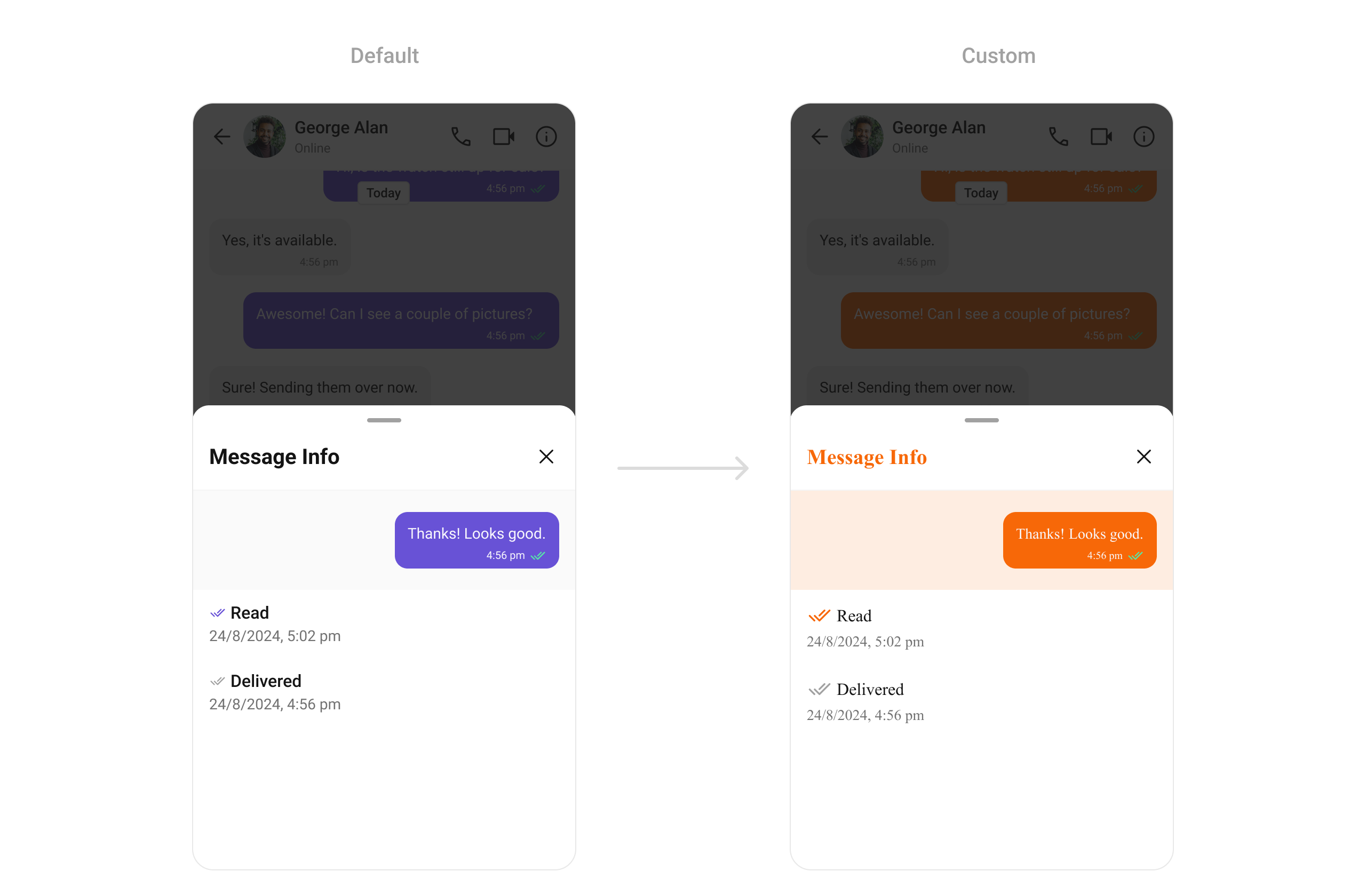
ThemeData(
        fontFamily: "Times New Roman",
        extensions: [
          CometChatOutgoingMessageBubbleStyle(
              backgroundColor: Color(0xFFF76808)
          ),
          CometChatMessageInformationStyle(
            backgroundHighLightColor: Color(0xFFFEEDE1),
            messageReceiptStyle: CometChatMessageReceiptStyle(
              readIconColor: Color(0xFFF76808)
            )
          ),
        ]
      )
Message Option Sheet
Style the options menu for individual messages.
ThemeData(
    extensions: [
        CometChatMessageOptionSheetStyle(
            backgroundColor: Color(0xFFFEEDE1),
            iconColor: Color(0xFFF76808),
          )
    ]
)
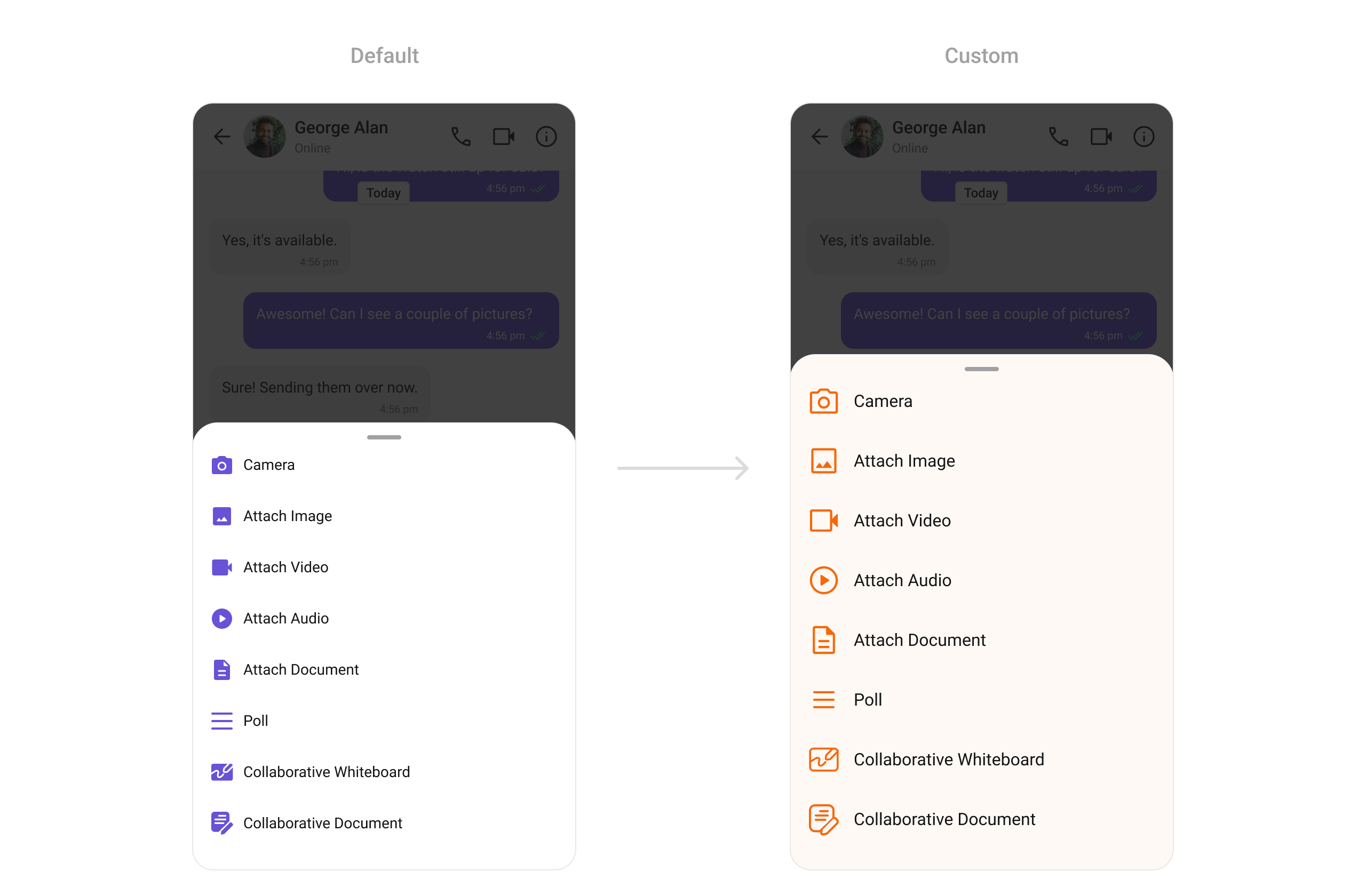
Attachment Option Sheet
Customize the attachment options menu.
ThemeData(
    extensions: [
        CometChatAttachmentOptionSheetStyle(
            backgroundColor: Color(0xFFFEEDE1),
            iconColor: Color(0xFFF76808),
          )
    ]
)
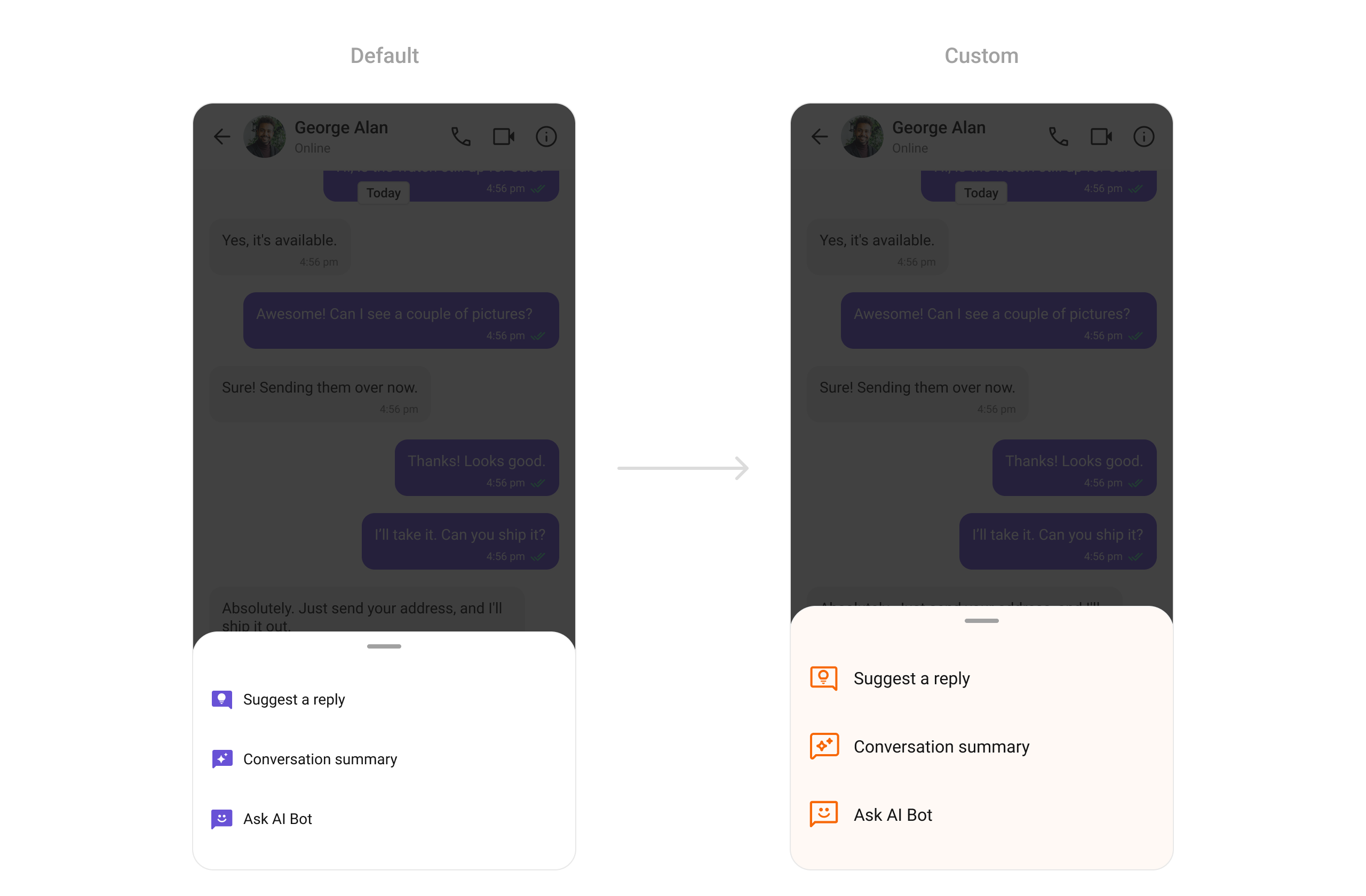
AI Option Sheet
Style the all-in-one options menu.
ThemeData(
    extensions: [
        CometChatAiOptionSheetStyle(
            backgroundColor: Color(0xFFFFF9F5),
            iconColor: Color(0xFFF76808)
          )
    ]
)
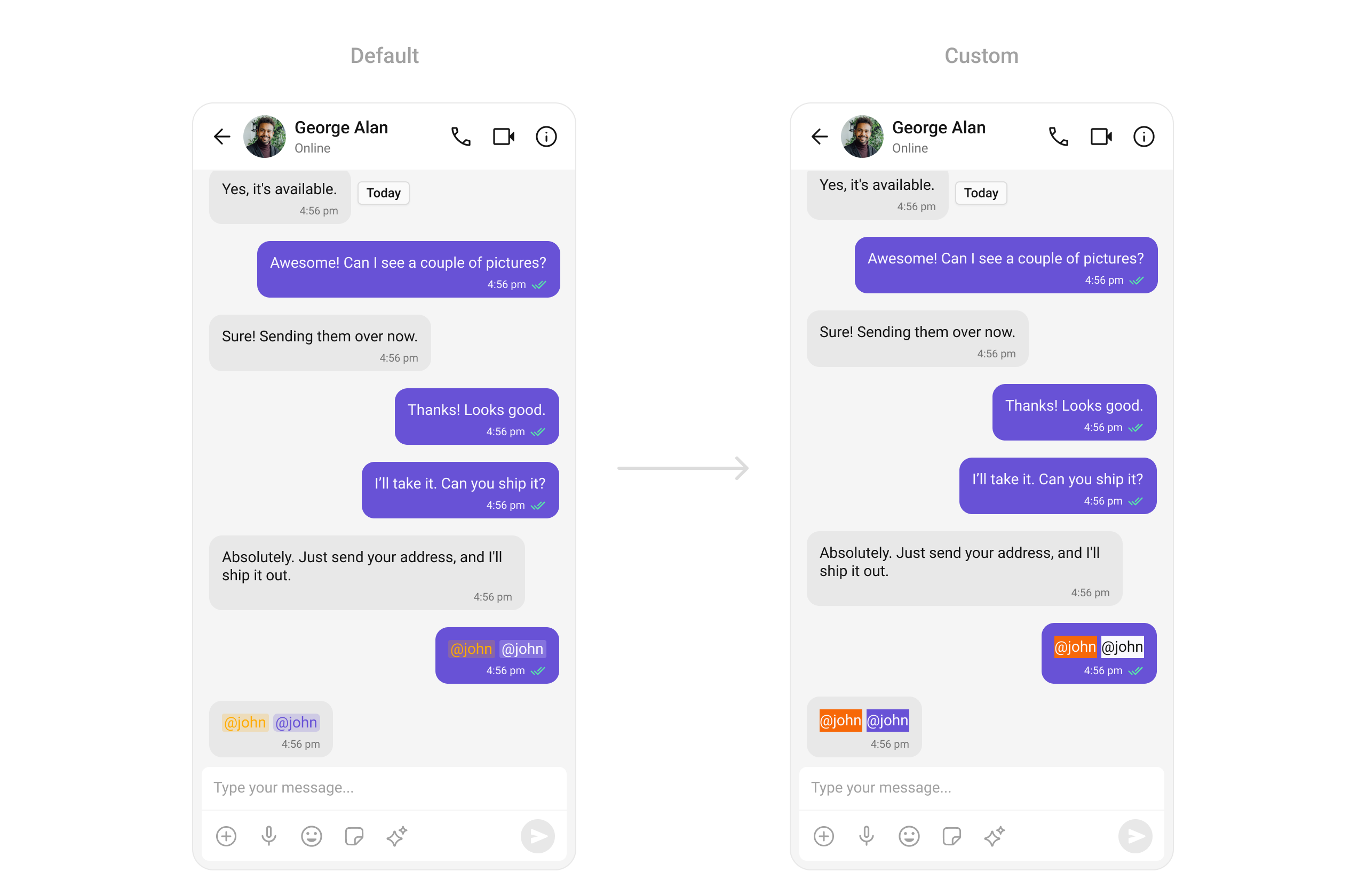
Mentions
Customize the appearance of user and group mentions.
ThemeData(
    extensions: [
        CometChatMentionsStyle(
            mentionSelfTextBackgroundColor: Color(0xFFF76808),
            mentionTextBackgroundColor: Colors.white,
            mentionTextColor: Colors.black,
            mentionSelfTextColor: Colors.white,
          )
    ]
)