

You can manage and configure legacy webhooks in CometChat either from the dashboard UI or programmatically via Management APIs.Documentation Index
Fetch the complete documentation index at: https://cometchat-22654f5b-release-ios-chat-uikit-v5-1-2.mintlify.app/llms.txt
Use this file to discover all available pages before exploring further.
Option 1: Manage from the Dashboard
To manage webhooks using the CometChat dashboard: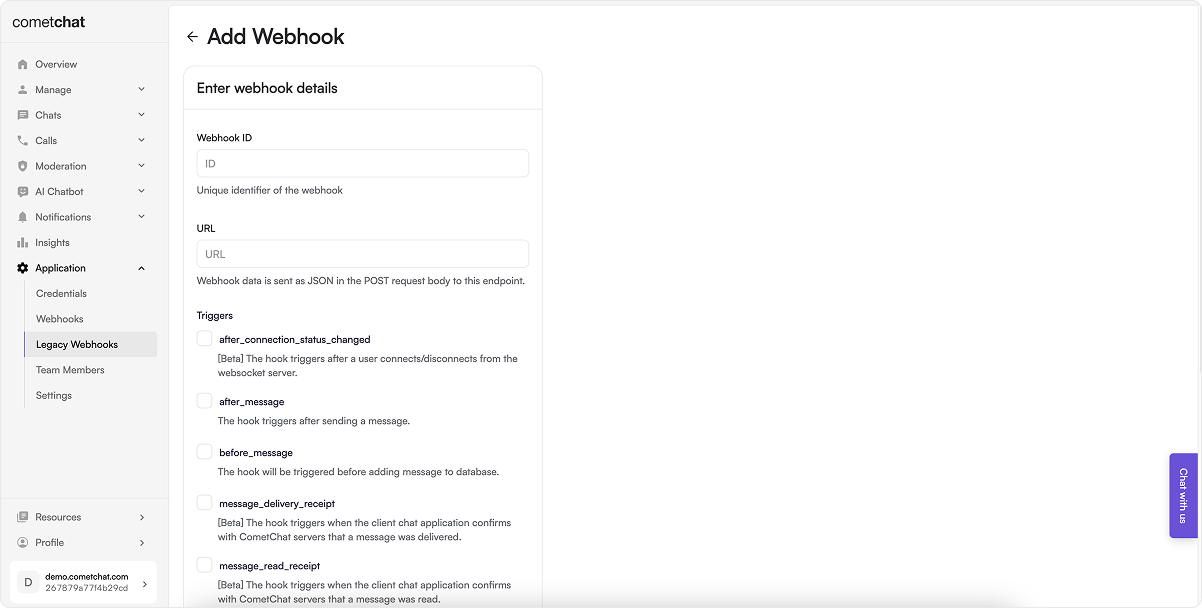
Steps:
- Log in to your CometChat Dashboard and select your app.
- Go to Settings > Legacy Webhooks from the left menu.
- Click on Add New Webhook.
-
Fill in the configuration:
- Webhook ID: A unique identifier for your webhook.
- URL: Endpoint where event payloads will be delivered.
- Triggers: Select the events you want to receive.
- Security: (Recommended) Enable authentication.
- Enable the webhook.
- Save the configuration.
Option 2: Manage via Management APIs
CometChat also provides Management APIs to automate webhook and trigger management.Webhook Management Endpoints
| Operation | API Reference |
|---|---|
| Create a new webhook | Create Webhook |
| Update an existing webhook | Update Webhook |
| List all webhooks | List Webhooks |
| Get a webhook by ID | Get Webhook |
| Delete a webhook | Delete Webhook |
Trigger Management Endpoints
| Operation | API Reference |
|---|---|
| Add triggers to a webhook | Add Triggers |
| List all triggers of a webhook | List Triggers |
| Remove triggers from a webhook | Remove Triggers |
Choose the method that best suits your workflow—dashboard for manual setup or APIs for automated, scalable integration.