Documentation Index Fetch the complete documentation index at: https://cometchat-22654f5b-release-ios-chat-uikit-v5-1-2.mintlify.app/llms.txt
Use this file to discover all available pages before exploring further.
Imagine a virtual sous-chef who listens to your ingredient list and responds with suggestions, techniques, or even a full recipe—all served via a chat UI.
What You’ll Build
A Mastra agent that thinks like a seasoned home cook.
Tools for helpful interactive features—substitute ingredients, create recipes.A conversational UI (React example provided).
A deployable agent available via Mastra’s API.
Prerequisites
A Mastra project (npx create-mastra@latest my-mastra-app).
Node.js installed.
OpenAI API key in .env as OPENAI_API_KEY.
Optional: Familiarity with Zod schema for structured output.
Step 1
Substitute tool
Create a tool to suggest ingredient substitutions.
Recipe tool
Create a tool that generates a simple recipe from a pantry list.
src/tools/suggest-substitute-tool.tsimport { createTool } from '@mastra/core/tools' ; import { z } from 'zod' ; export const suggestSubstituteTool = createTool ({ id: 'suggest-substitute' , description: 'Suggest a substitute for an ingredient.' , inputSchema: z . object ({ ingredient: z . string (). describe ( 'Ingredient to substitute' ), }), outputSchema: z . object ({ substitute: z . string (), reason: z . string (), }), execute : async ({ context }) => { const ingredient = context . ingredient . toLowerCase (); const map : Record < string , { substitute : string ; reason : string }> = { milk: { substitute: 'almond milk' , reason: 'Similar texture and flavor' }, butter: { substitute: 'margarine' , reason: 'Same fat profile for cooking/baking' }, }; return map [ ingredient ] || { substitute: 'No direct match' , reason: 'Choose an ingredient with similar flavor or texture.' , }; }, });
src/tools/recipe-from-pantry-tool.tsimport { createTool } from '@mastra/core/tools' ; import { z } from 'zod' ; export const recipeFromPantryTool = createTool ({ id: 'recipe-from-pantry' , description: 'Generate a simple recipe using available ingredients.' , inputSchema: z . object ({ ingredients: z . array ( z . string ()). min ( 1 ), }), outputSchema: z . object ({ title: z . string (), steps: z . array ( z . string ()), }), execute : async ({ context }) => { const { ingredients } = context ; return { title: 'Pantry Special' , steps: [ `Use ${ ingredients . join ( ', ' ) } .` , 'Cook and enjoy!' , ], }; }, });
Step 2 Create the Agent src/agents/chef-agent.tsimport { openai } from '@ai-sdk/openai' ; import { Agent } from '@mastra/core/agent' ; import { Memory } from '@mastra/memory' ; import { LibSQLStore } from '@mastra/libsql' ; import { suggestSubstituteTool } from '../tools/suggest-substitute-tool' ; import { recipeFromPantryTool } from '../tools/recipe-from-pantry-tool' ; export const chefAgent = new Agent ({ name: 'Chef Agent' , instructions: ` You are a friendly home chef. Help users cook based on their available ingredients. Use 'suggest-substitute' to offer alternatives. Use 'recipe-from-pantry' to build recipes from their list. Keep answers short and clear. ` , model: openai ( 'gpt-5' ), tools: { 'suggest-substitute' : suggestSubstituteTool , 'recipe-from-pantry' : recipeFromPantryTool , }, memory: new Memory ({ storage: new LibSQLStore ({ url: 'file:../mastra.db' }), }), });
Step 3 Register the Agent in Mastra src/mastra/index.tsimport { Mastra } from '@mastra/core/mastra' ; import { PinoLogger } from '@mastra/loggers' ; import { LibSQLStore } from '@mastra/libsql' ; import { chefAgent } from '../agents/chef-agent' ; export const mastra = new Mastra ({ agents: { chef: chefAgent }, // "chef" is the REST id storage: new LibSQLStore ({ url: 'file:../mastra.db' }), logger: new PinoLogger ({ name: 'Mastra' , level: 'info' }), });
The key in agents: { chef: chefAgent } determines the API path: /api/agents/chef/*.
Step 4 Run the Agent From your project root:
rm -rf .mastra/output
npx mastra dev
You should see:
Mastra API running on port http://localhost:4111/api
Step 5 Deploy & Production
curl -X POST http://localhost:4111/api/agents/chef/generate \
  -H "Content-Type: application/json" \
  -d '{"messages":[{"role":"user","content":"ping"}]}'
Use a tunnel to test the agent before full deployment:
ngrok http 4111
cloudflared tunnel --url http://localhost:4111
loca.lt --port 4111
Append /api/agents/chef/generate and copy the HTTPS URL into the Dashboard.
Vercel serverless example (TypeScript)
// api/agents/chef/generate.ts import type { VercelRequest , VercelResponse } from '@vercel/node' ; import { chefAgent } from '../../../src/agents/chef-agent' ; export default async function handler ( req : VercelRequest , res : VercelResponse ) { if ( req . method !== 'POST' ) return res . status ( 405 ). json ({ error: 'Method not allowed' }); try { const { messages } = req . body || {}; const result = await chefAgent . respond ({ messages }); return res . status ( 200 ). json ( result ); } catch ( e : any ) { return res . status ( 500 ). json ({ error: e . message || 'Agent error' }); } }
Serverless: Single lightweight function calling the agent.Container: Long‑lived process; add health checks & logging.Edge: Keep tools stateless; externalize persistence.
Rate‑limit (per IP + user). Add auth (Bearer/JWT) for non-public usage. Log tool calls (name, duration, success/error).
Deployment URL = public HTTPS endpoint + /api/agents/chef/generate. Mastra Agent ID = chef.
Step 6
Navigate
Go to your App → AI Agents .
Add agent
Set Provider =Mastra, Agent ID =chef, Deployment URL =your public generate endpoint.
(Optional) Enhancements
Add greeting, prompts, and configure actions/tools if you use frontend tools.
Enable
Save and ensure the agent toggle shows Enabled .
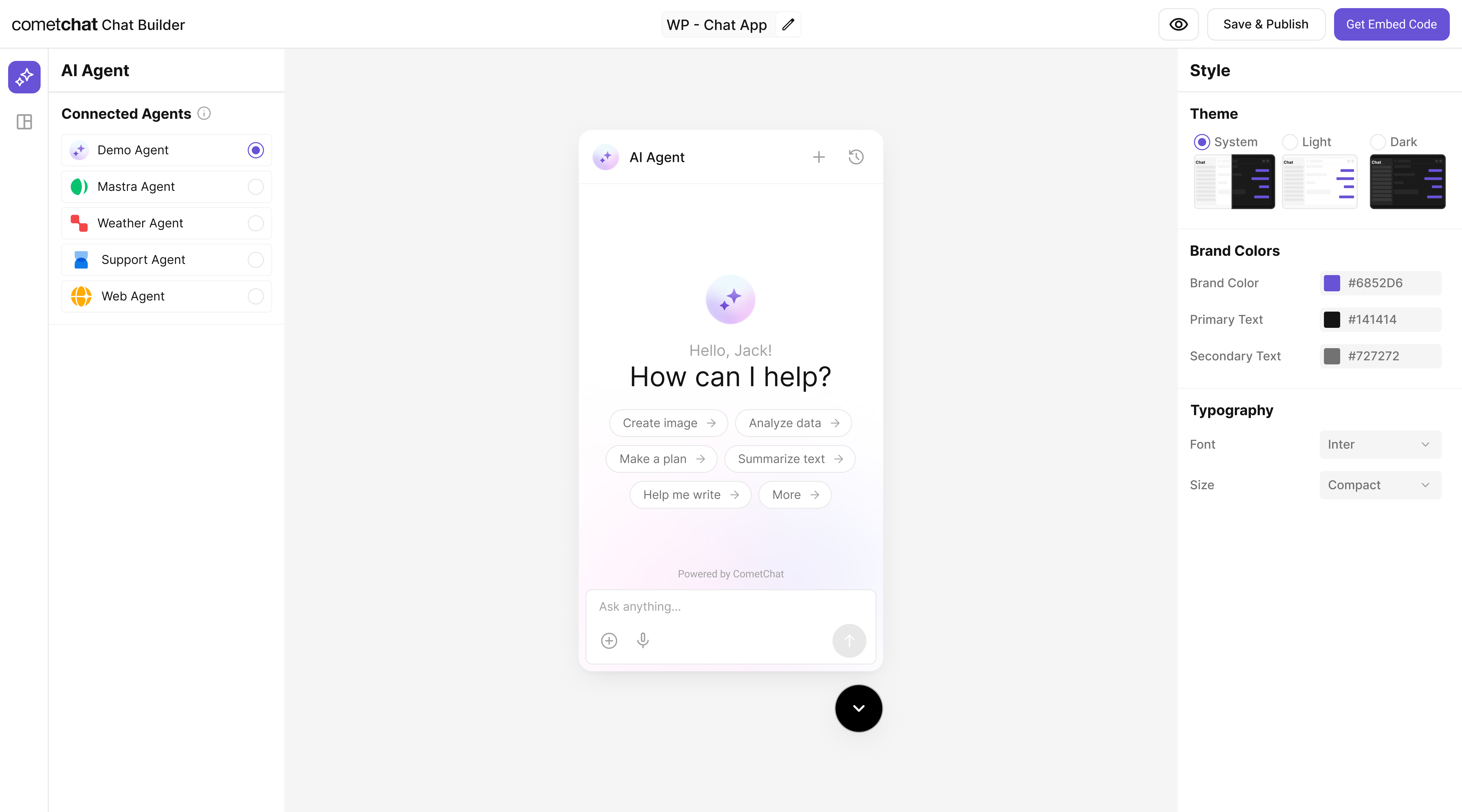
Step 7 Customize in UI Kit Builder
Open variant
From AI Agents click the variant (or Get Started) to enter UI Kit Builder.
Customize & Deploy
Select Customize and Deploy .
Adjust settings
Theme, layout, features; ensure the Mastra agent is attached.
Preview
Use live preview to validate responses & any tool triggers.
Step 8 Integrate Once your agent is configured, you can integrate it into your app using the CometChat Widget Builder
React UI Kit Pre Built UI Components
Note: The Mastra agent you connected in earlier steps is already part of the exported configuration, so your end-users will chat with that agent immediately.
Step 9 Test Your Setup
API generates response
POST to /api/agents/chef/generate returns a recipe or suggestion.
Agent listed
/api/agents includes “chef”.
Tool action works
UI handles suggest-substitute tool invocation.
Full sample test (run curl)
See curl command below.
curl -X POST http://localhost:4111/api/agents/chef/generate \
  -H "Content-Type: application/json" \
  -d '{
    "messages": [
      { "role": "user", "content": "I have pasta, tomatoes, garlic — make me dinner" }
    ]
  }'
Troubleshooting
Agent not found : Check the agents map in mastra/index.ts.Tool not firing : Ensure the id matches exactly between the tool file and the agent.API key errors : Confirm OPENAI_API_KEY is set.
Next Steps
Add more tools (e.g., nutritional info, shopping list builder).
Add a workflow to decide automatically between quick tips and full recipes.
Localize outputs for different languages.